In this guide
- For former team members: follow the public Walgreens instruction
- For current team members: use the current internal path
- What to verify when you receive the form
- If you changed your address after leaving
- If the form does not arrive
- What not to send to this publication
- The short version
- Before contacting HR about a W‑2, prepare only the facts the request needs
- The form route and the tax question are different problems
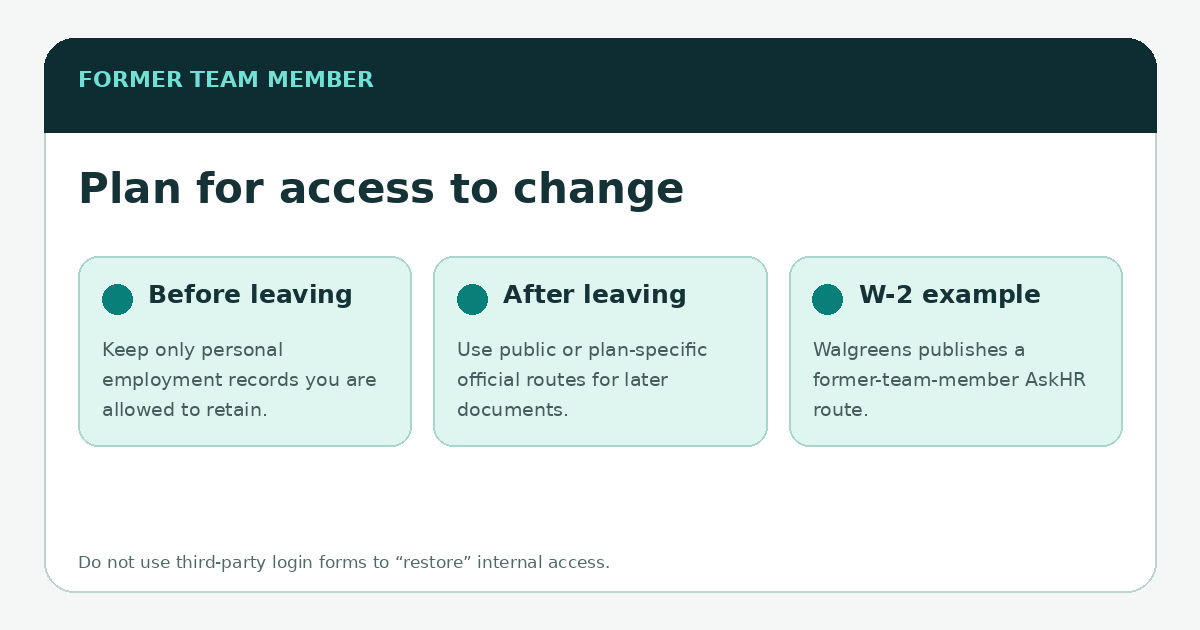
Former Walgreens team members who need a W‑2 have a public route: Walgreens says to email AskHR and include your name, employee ID number and the year of the W‑2 requested. That instruction appears on Walgreens’ current Company Info Help page. Current employees may have internal self-service options, but those menus can change; use the official resources available through your active employee account rather than a third-party “W‑2 login” page.
The important distinction is employment status. A current team member can usually begin inside the employee environment, while a former employee should not assume W Connect access will remain active. Tax documents also contain sensitive personal data, so verify the recipient and use the official Walgreens contact information rather than sending a W‑2 or Social Security number to an independent website.
For former team members: follow the public Walgreens instruction
Walgreens’ public help page states that former team members can request a W‑2 by emailing askhr@walgreens.com and including the employee’s name, employee ID number and the requested tax year. Because contact instructions can change, it is still worth opening the live Walgreens page before sending the request. This publication links to that source but does not receive or process W‑2 requests.
For current team members: use the current internal path
If you are still employed, start from the official W Connect/HR environment available to your account and look for the current tax-document or payroll resource. Avoid old tutorials that claim a permanent sequence of menu labels. The source of truth is the internal interface Walgreens presents now, because tax-year workflows and HR navigation can change.
What to verify when you receive the form
- Name and address: check for obvious errors and use the employer’s official process to correct employment records.
- Employer identification: confirm the form is from the expected employer entity for your work.
- Wages and withholding: compare against your year-end payroll records if something appears inconsistent.
- Tax year: make sure you received the year you actually requested, especially if asking for an older form.
- Security: store tax forms securely and avoid forwarding them through casual channels or uploading them to “verification” sites.
If you changed your address after leaving
A former employee may discover that a mailed tax form went to an old address. Use the official AskHR route to ask what correction or reissue process applies. Do not assume that changing an address in a consumer Walgreens account changes employment records; retail customer profiles and employee HR records are separate data contexts.
If the form does not arrive
Keep the request date and the address or email channel you used. If you follow up, reference the original request without posting tax information publicly. For filing deadlines and IRS procedures, use current IRS guidance or a qualified tax professional; an employee-portal article should not invent tax deadlines or legal advice. The purpose here is to identify Walgreens’ official document route.
What not to send to this publication
Do not email this site your W‑2, Social Security number, employee password, verification code or a photo of a government ID. None of those items are required to report a broken link or ask for an article correction. If Walgreens needs sensitive information, provide it only through the company’s verified process and only to the extent the official process requests it.
The short version
Current employee: begin in the official internal environment. Former employee: use Walgreens’ public AskHR W‑2 instruction and verify it on the live company help page. In both cases, keep the tax document itself out of third-party websites and distinguish employee records from ordinary Walgreens customer accounts.
\n\nBefore contacting HR about a W‑2, prepare only the facts the request needs
Start with the tax year, whether you are a current or former team member, the name you used while employed, and whether your mailing address changed. Walgreens’ public help page currently gives former team members a specific AskHR email route for W‑2 requests and asks for identifying employment information. Because that instruction can change, open the current Walgreens company help page before sending anything rather than copying an address from an old forum post.
Keep the request narrow. A W‑2 request does not require sending a photograph of the whole form, a bank statement, a password or a one-time code to an independent website. If Walgreens’ current official instructions require identity verification, complete it through the channel Walgreens specifies. If you are trying to reconcile the W‑2 with your final pay statements, compare the year-to-date totals and remember that payroll categories do not always map one-for-one to the boxes on a tax form.
The form route and the tax question are different problems
Walgreens can help with access to an employer-issued form and corrections to employer information. Questions about how a box affects your individual return may require IRS guidance or a qualified tax professional instead. This guide focuses on locating the employer record, not interpreting your personal tax liability. Former employees with broader records questions can continue with the former-team-member access guide.