In this guide
W Connect is Walgreens’ internal, mobile-first team-member communication and resource platform. Walgreens’ public careers site directs current team members to its Applicant Tracking System on W Connect, and the company has described the platform as a place for news, resources and internal tools. The safest public starting points are Walgreens’ own team-member careers page and the official W Connect domain. This independent guide does not provide a sign-in form and does not need your OneID, password or verification code.
The most useful way to approach W Connect is to begin with the task, not with the word “portal.” A current employee looking for an internal job, a person checking an HR record, and a former employee requesting a W‑2 may all search for W Connect, but they do not necessarily need the same destination. Separating those tasks is the difference between a useful answer and a page that simply repeats a login link.
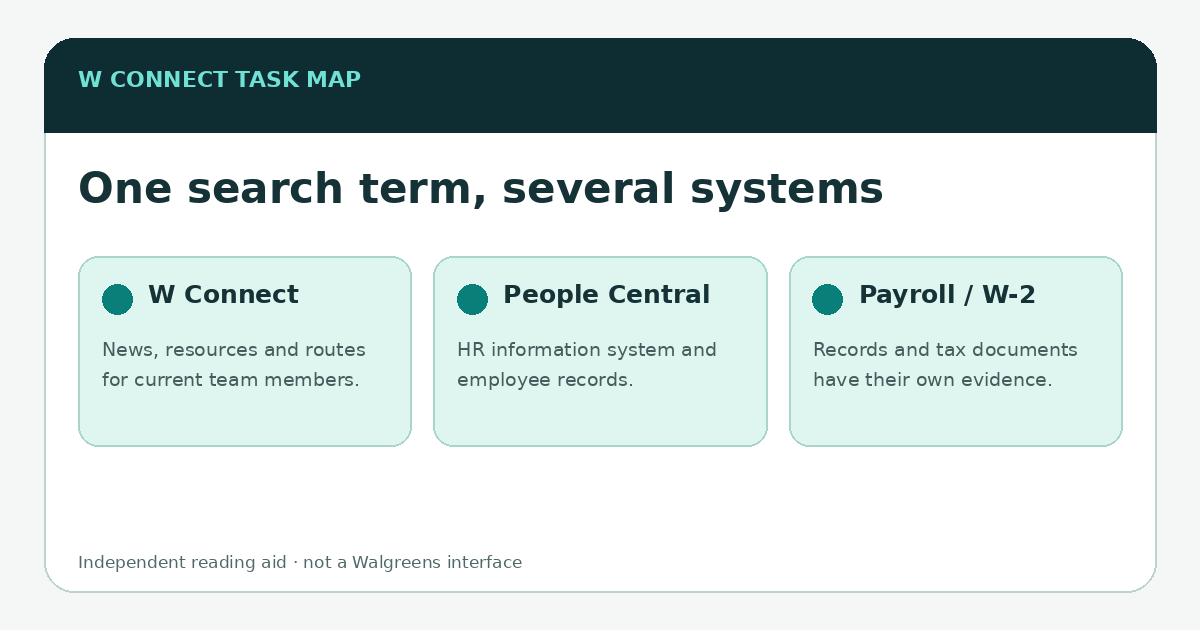
What Walgreens publicly says about W Connect
Walgreens’ current team-member careers page says that employees interested in another role should use the Applicant Tracking System on W Connect, with access available on the web or through the W Connect mobile app. That is unusually helpful public confirmation because it establishes both the platform’s audience—current team members—and one concrete workflow inside it. Walgreens team-member careers.
The official Android listing, published by Walgreen Co., describes W Connect as an information and communication platform for company news, stories and resources. It also lists company information, engagement features and translation among its capabilities. App stores can change descriptions and support details over time, so use the current Google Play listing or the App Store listing rather than relying on an old screenshot.
W Connect is not the same thing as every HR system
Employee technology often works like a hallway with several doors. W Connect can be the hallway: it helps a team member reach news and resources, while a task involving a personnel record, payroll detail or benefit enrollment may open a different tool. Walgreens job postings publicly refer to SAP/People Central as an HR information system, which is one reason a People Central question should not be collapsed into a generic W Connect answer.
| If your task is… | Start by thinking about… | Read next |
|---|---|---|
| Company news, internal resources or an internal career move | W Connect as the team-member hub | W Connect on mobile or internal jobs |
| Personnel or HR information | People Central or the specific HR destination linked by Walgreens | W Connect vs. People Central |
| Pay statement or payroll record | The payroll/HR record, not a communications feed | paystubs and payroll |
| W‑2 after leaving Walgreens | Walgreens’ public former-team-member help route | W‑2 guide |
| A sign-in failure | The official Walgreens domain/app and the employer’s current verification flow | access troubleshooting |
A safe way to use search results
A search result can look convincing while still being a third-party page. Before entering an employee username, inspect the actual destination. For the web, the public Walgreens careers page links to wconnect.walgreens.com. For mobile, check that the store listing identifies Walgreen Co. as the developer or publisher. If the screen asks for credentials, the address bar and app identity matter more than a familiar logo copied onto a page.
This publication deliberately does not recreate the W Connect login box, collect account identifiers or offer a “check your account” form. Those features would add risk without helping explain the system. Links to official sources are marked as external destinations, and the editorial pages remain readable without a Walgreens account.
If you arrived here for one specific task
- Internal job: Walgreens publicly says the ATS for current team members is on W Connect. See the internal-jobs guide.
- Paystub: treat it as a payroll/HR record question rather than assuming the communications feed is the record system. See paystubs and payroll.
- W‑2: current and former employees have different practical routes. Walgreens publishes a former-team-member contact path. See the W‑2 guide.
- Benefits: the public benefits page is useful for understanding categories and eligibility caveats, while enrollment and personal coverage belong to official employee tools. See benefits and W Connect.
- Can’t sign in: verify the official destination first, then troubleshoot the credential/verification path Walgreens currently presents. See access troubleshooting.
The bottom line
W Connect is best understood as a Walgreens team-member resource hub, not as a synonym for every employee database. Use the official Walgreens route, keep HR/payroll/benefit tasks distinct, and do not enter employee credentials on an independent editorial website. That simple model stays useful even when menus, app versions and internal links change.
\n\nBefore you contact support, identify the system and the moment it failed
A short description such as “W Connect is broken” leaves too much ambiguity. A better note says whether you were using the official mobile app or web destination, whether the page loaded, whether your usual Walgreens authentication step appeared, and whether the failure happened before or after verification. Do not include the password or verification code itself. Those details let the support team distinguish a routing problem from an authentication problem without exposing credentials.
Also write down the task you were actually trying to complete. If the goal was to check a pay record, update an HR record, review benefits or apply for an internal role, the answer may be to use the destination that owns that record rather than repeatedly retrying the W Connect landing point. That is why this guide links outward to separate pages instead of pretending every employee workflow is one portal. For access failures, continue with the troubleshooting guide; for HR-record questions, use the People Central comparison.